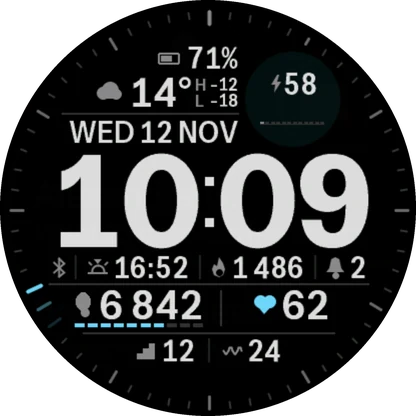
Nine data fields. One clear dashboard.
$3.49 one-time · up to 3 watches
Instinct 3 AMOLED · Instinct Crossover AMOLED · fēnix 8/9/E · epix · Forerunner 70/165/170/265/570/965/970 · Venu 2/3/4 · vívoactive 5/6 · MARQ · Approach · Descent · D2
- 5.1% Always-on, Standard level
- 47 watch models
- 5 screen sizes, 360–466 px
- 5.0+ Connect IQ version
Made for
Data lovers who want nine fields on one screen.
Two layouts, one design
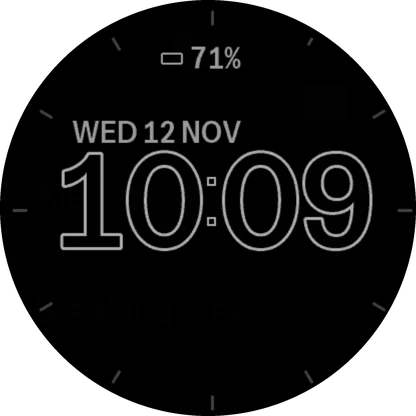
Active
Three sizes, always in the same order.
Always-on
Digits become 3 px outlines, and the date and battery stay where they are.
- Pixels lit
- 10.6%
- Shift per minute
- 3 px
Always-on brightness
Four levels in the settings; Standard is the default.
- Brightest9.2%
- Bright7.0%
- Standard (default)5.1%
- Dim2.0%
Nine slots
Every value cell takes its own data.
- 1BatteryTop small
- 2Date
- 3Sunset
- 4StepsMiddle left
- 5FloorsBottom left
- 6Body BatteryWindow chart
- 7CaloriesStrip under time: right
- 8Heart rateMiddle right
- 9StressBottom right
- Top small
- Battery · Body Battery · Stress · Pulse Ox · Respiration · +10
- Top large
- Weather · High / low · 3-day forecast · Pressure trend · Barometer · +10
- Window chart
- Body Battery · Stress · Heart rate · Pulse Ox · Altitude · +3
- Strip under time: left
- Sunrise / sunset · Daylight left · Calories · Distance · Floors · +12
- Strip under time: right
- Sunrise / sunset · Daylight left · Calories · Distance · Floors · +12
- Middle left
- Steps · Calories · Distance · Floors · Altitude · +5
- Middle right
- Heart rate · Body Battery · Stress · Pulse Ox · Respiration · +7
- Bottom left
- Floors · Stress · Pulse Ox · Respiration · Body Battery · +8
- Bottom right
- Floors · Stress · Pulse Ox · Respiration · Body Battery · +8
Settings
Change them from the watch menu or the Connect IQ app on your phone.
Appearance
- Accent color
- Orange · Lume green · Yellow · Cyan · Red · +3
- Show seconds
- On · Off
- Animations
- On · Off
- Outer scale
- Seconds · Step goal · Body Battery · Battery · Off
- Chart span
- 12 hours · 6 hours · 24 hours
- Pressure unit
- hPa · inHg
- Thousands separator
- Space · Dot · None
Always-on display
- Always-on color
- Gray · Lume green · Ice blue
- Brightness
- Dim · Standard · Bright · Brightest
- Always-on data
- + battery · Time and date · + battery + middle left
Compatibility
Designed at 416 px for Instinct 3 AMOLED and scaled by ratio to 360, 390, 454 and 466 px screens, with Instrument Sans bitmap fonts built for each size.
See it on your watch
Pricing
Install from the Connect IQ Store and use everything free for 7 days. No key, no account.
How it works
Install
Get Kadran Ledger from the Garmin Connect IQ Store.
Try for 7 days
Every feature is unlocked.
Buy a key
One-time purchase through Creem.
Paste the key
Garmin Connect app → your watch → Connect IQ → Kadran Ledger → Settings → License key.
Payment, VAT and invoice handled by Creem (merchant of record) · 14-day refund window, see refund policy
Lost your key? Sign in to the Creem customer portal with your purchase email, or write to support@slck.cloud.
Similar faces
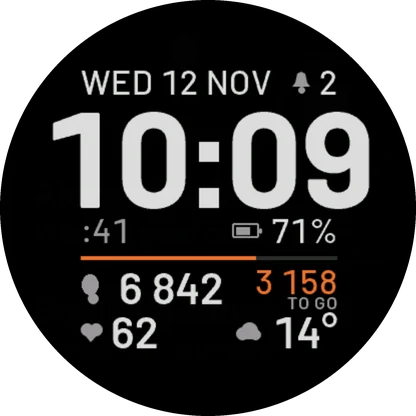
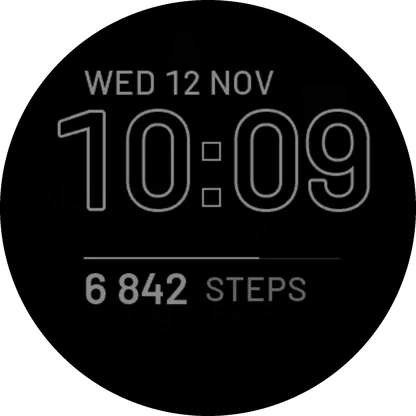
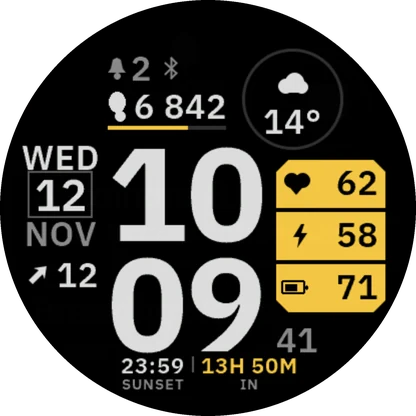
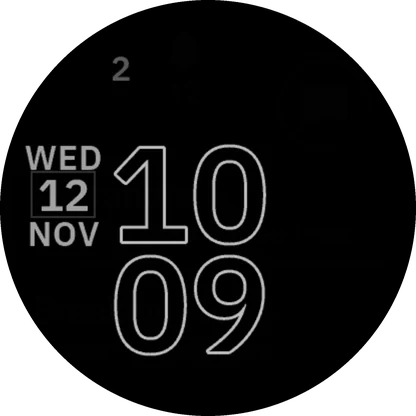
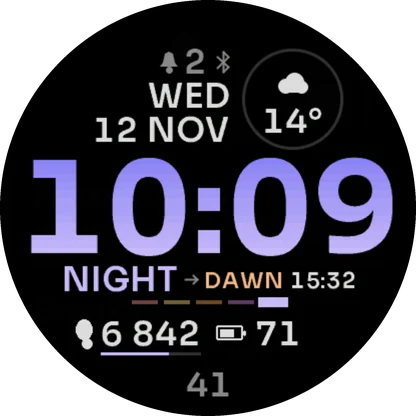
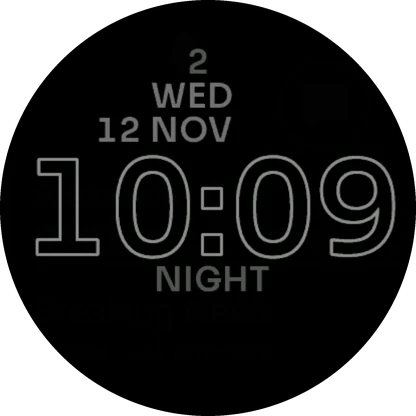
Details
See all supported models
| Watch | Screen | Connect IQ | Touch | Notes |
|---|---|---|---|---|
| Instinct 3 AMOLED 50 mm | 416 px | 6.0 | No | Reference device. Settings menu works with buttons. |
| Instinct 3 AMOLED 45 mm | 390 px | 6.0 | No | |
| Instinct Crossover AMOLED | 390 px | 6.0 | No | Physical hands sit above the screen and always show the time; analog faces hide their own hour and minute hands. Not tested on a real watch. |
| fēnix 8 AMOLED 43 mm | 416 px | 6.0 | Yes | AMOLED models only; Solar (MIP) is not supported. |
| fēnix 8 AMOLED 47 / 51 mm | 454 px | 6.0 | Yes | |
| fēnix 8 Pro 47 / 51 mm · quatix 8 Pro | 454 px | 6.0 | Yes | Also the MicroLED edition; always-on behaviour on MicroLED is not confirmed on a real watch. |
| fēnix 9 43 mm | 416 px | 6.0 | Yes | |
| fēnix 9 47 / 51 mm | 454 px | 6.0 | Yes | |
| fēnix 9 Pro 43 mm | 416 px | 6.0 | Yes | |
| fēnix 9 Pro 47 mm | 454 px | 6.0 | Yes | |
| fēnix 9 Pro 51 mm | 466 px | 6.0 | Yes | Largest layout. |
| fēnix E | 416 px | 6.0 | Yes | |
| epix (Gen 2) · quatix 7 Sapphire | 416 px | 5.2 | Yes | |
| epix Pro (Gen 2) 42 mm | 390 px | 5.2 | Yes | |
| epix Pro (Gen 2) 47 mm | 416 px | 5.2 | Yes | |
| epix Pro (Gen 2) 51 mm | 454 px | 5.2 | Yes | |
| Forerunner 70 | 390 px | 6.0 | Yes | |
| Forerunner 165 | 390 px | 5.2 | Yes | |
| Forerunner 165 Music | 390 px | 5.2 | Yes | |
| Forerunner 170 | 390 px | 6.0 | Yes | |
| Forerunner 170 Music | 390 px | 6.0 | Yes | |
| Forerunner 265 | 416 px | 5.2 | Yes | |
| Forerunner 265S | 360 px | 5.2 | Yes | Smallest layout. |
| Forerunner 570 42 mm | 390 px | 6.0 | Yes | |
| Forerunner 570 47 mm | 454 px | 6.0 | Yes | |
| Forerunner 965 | 454 px | 5.2 | Yes | |
| Forerunner 970 | 454 px | 6.0 | Yes | |
| Venu 2 | 416 px | 5.0 | Yes | Oldest supported generation. |
| Venu 2S | 360 px | 5.0 | Yes | |
| Venu 2 Plus | 416 px | 5.0 | Yes | |
| Venu 3 | 454 px | 5.2 | Yes | |
| Venu 3S | 390 px | 5.2 | Yes | |
| Venu 4 41 mm | 390 px | 6.0 | Yes | |
| Venu 4 45 mm · D2 Air X15 | 454 px | 6.0 | Yes | |
| vívoactive 5 | 390 px | 5.2 | Yes | |
| vívoactive 6 | 390 px | 6.0 | Yes | |
| MARQ (Gen 2) | 390 px | 5.2 | Yes | |
| MARQ (Gen 3) | 454 px | 6.0 | Yes | |
| Approach S50 | 390 px | 5.1 | Yes | |
| Approach S70 42 mm | 390 px | 5.1 | Yes | |
| Approach S70 47 mm | 454 px | 5.1 | Yes | |
| Approach S72 43 mm | 416 px | 6.0 | Yes | |
| Approach S72 47 mm | 454 px | 6.0 | Yes | |
| Descent G2 | 390 px | 5.1 | Yes | |
| Descent Mk3 / Mk3i 43 mm | 390 px | 5.1 | Yes | |
| Descent Mk3i 51 mm | 454 px | 5.1 | Yes | |
| D2 Air X10 | 416 px | 5.0 | Yes |
Interaction
- Press and hold a data field to open its Garmin screen, such as heart rate or weather. Works on touchscreen models: every supported model except Instinct 3 AMOLED and Instinct Crossover AMOLED.
- When the trial ends, the face shows a QR code that opens its purchase page. On watches with Connect IQ 6.0; the compatibility table shows each model's version. Other models show the address as text.
- “Animations” under Appearance in the face settings is on by default. Turn it off and the face holds still: no minute or hour transitions and no continuous motion.
Animations
| What moves | Moves on | Stays still on |
|---|---|---|
| Changed digits roll up like a counter each minute, and the date at midnight | All 47 supported models in the simulator | None in simulator tests |
| The seconds cursor on the scale leaves a fading trail | All 47 supported models in the simulator | None in simulator tests |
All of this plays only with the wrist raised. Raising your wrist shows the screen ready at once, with no intro animation; in always-on nothing moves. “Animations” in the face settings turns all of it off.
Always-on, measured
Always-on, Standard level
Simulator screen luminance at the default Standard level, measured in the simulator with the widest content (20:08, full fields, long date) on the 416 px build.
Pixels lit
Share of display pixels above 5% brightness.
Shift per minute
The whole always-on layout moves 3 px along an 8-step circle every minute, to vary pixel placement over time.
Always-on brightness
Four levels in the settings; Standard is the default.
| Level | Screen luminance | |
|---|---|---|
| Dim | 2.0 % | |
| Standard (default) | 5.1 % | |
| Bright | 7.0 % | |
| Brightest | 9.2 % | |
10% · CIQ 5+
Simulator measurement with wide content: 20:08, every slot filled and a long date. Results vary with content, level and display size.
Version history
1.1.0 · 18 November 2026
- A key bought for a different face is now named as such on the watch, instead of “key not found”.
- The license message no longer covers the purchase QR code.
1.0.0 · 17 November 2026 · First build. Five screen sizes; 128 px Instrument Sans time, a grid of cells split by thin rules, nine selectable slots, a window with a value and a 12-column chart from the watch's history (6, 12 or 24 hours), a strip with Bluetooth, sun, calories and notifications, a 10-part goal bar, a 60-tick outer scale for seconds, step goal, Body Battery or battery; 8 accent colors, 3 always-on colors, always-on data and pressure unit settings, on-watch settings menu, license trial and activation.
- Today's high and low sit next to the current temperature, with short labels in your language.
- Quieter dividers in the status strip and the bottom row separate the rows faster.
Questions
How far back does the chart go?
12 hours by default, or 6 or 24 in settings, split into 12 columns. The face reads the history the watch already stores and records nothing itself, so the chart reaches back only as far as that history. Some watches do not keep every history, such as stress, Pulse Ox or pressure. Columns without data stay empty, drawn as a thin gray line. The newest column is in the accent color.
Is it too much for one screen?
Density is the point of Ledger, so the face keeps it readable in other ways. The time digits fill 22% of the screen height. Three main values are larger than the rest. Every value sits in its own cell, with a gray icon and a white number. If you want less, set any slot to none: in the strip and the bottom row the other cells move to the center, elsewhere the space stays empty.
What stays on in always-on?
The outlined time, the date and battery. In settings, keep only the time and date, or add the middle-left value, steps by default. The scale, the window and its chart, and every other cell go dark. Heart rate, Body Battery, stress and Pulse Ox never show in always-on: the view refreshes once a minute and can be read from across the table. Your data stays on the watch, see the Privacy.
What do the outer scale and the Bluetooth icon show?
The 60-tick scale shows the seconds by default: the cyan marker moves once a second. In settings it can show the step goal, Body Battery or battery instead, or be turned off. The Bluetooth icon is gray while the phone is connected. When the link drops, it turns to the accent color with a line through it. It never disappears, so you always know whether notifications and weather can reach the watch.
How do I change what each slot shows?
On the watch, open the face's settings menu (no phone needed): all nine slots, the outer scale, seconds and colors. Or in the Garmin Connect app: your watch → Connect IQ → Kadran Ledger → Settings, where you also set the chart span (6, 12 or 24 hours), the always-on data and the pressure unit.